General
/
How Headcount Planning Works with HRCast

Florian Blaschke
Co-Founder & MD
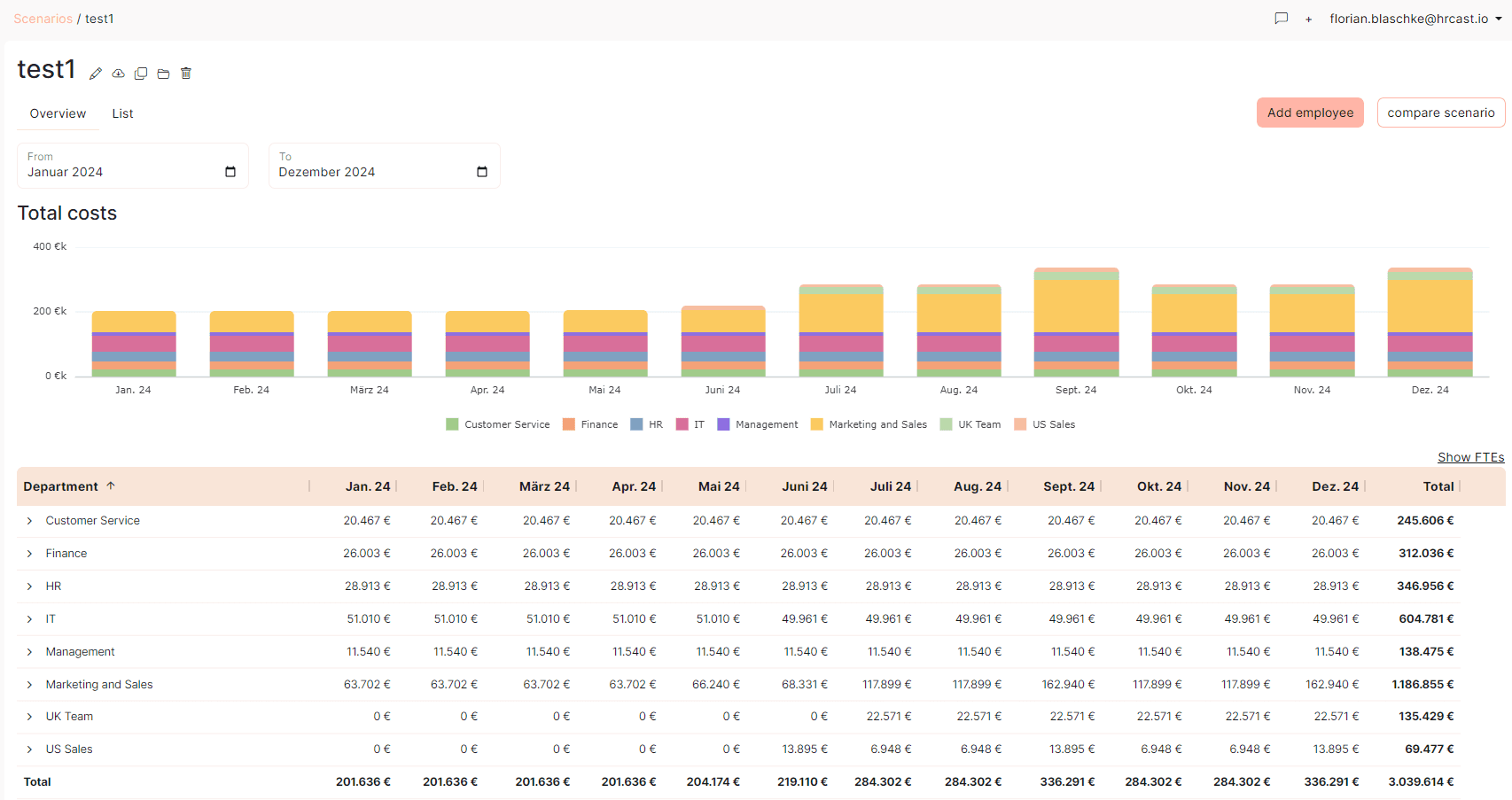
1. Synchronize Master Data
The first step is to synchronize your existing master data from your HR system with HRCast. This can be done easily via the interface to your HR system. This ensures that all relevant data—such as employee master data, salaries, and organizational structure (e.g., departments, cost centers)—is up to date for further planning.
2. Create a Planning Scenario with Top-Down Targets
Once the master data is synchronized, you can create a new planning scenario. In this scenario, you can set broad top-down targets for headcount planning, such as total costs and the number of positions per department or cost center. However, even at this stage, you have the option to make detailed changes at the individual employee level.
3. Create a Scenario for Bottom-Up Planning
In addition to the top-down scenario, it is best to create another scenario for bottom-up planning. In this scenario, department or cost center managers can work out a detailed plan for their area of responsibility, such as planned salary increases for their team or additional staffing requirements.
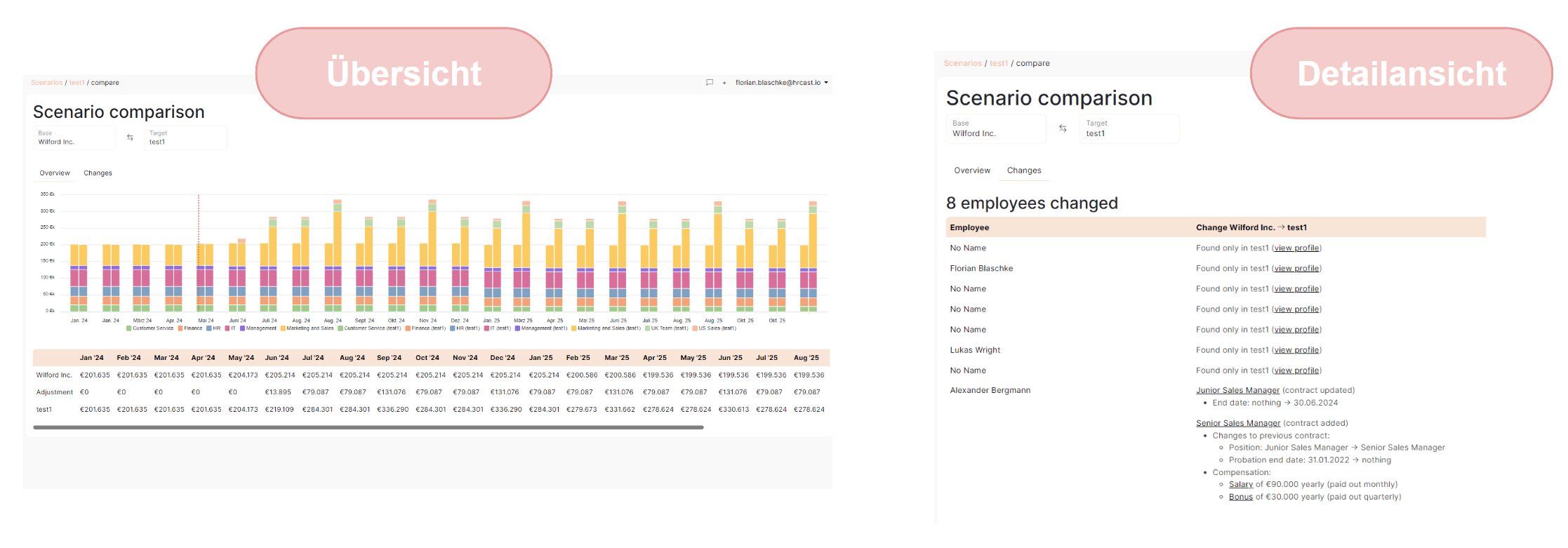
4. Invite Employees to Collaborate
As soon as you have created a planning scenario, you can determine who should participate in the editing process and lock the editing function at a later time. Based on the hierarchy stored in the HR system, our role-based access system ensures restricted data access, limited to the actual areas of responsibility of each planner.
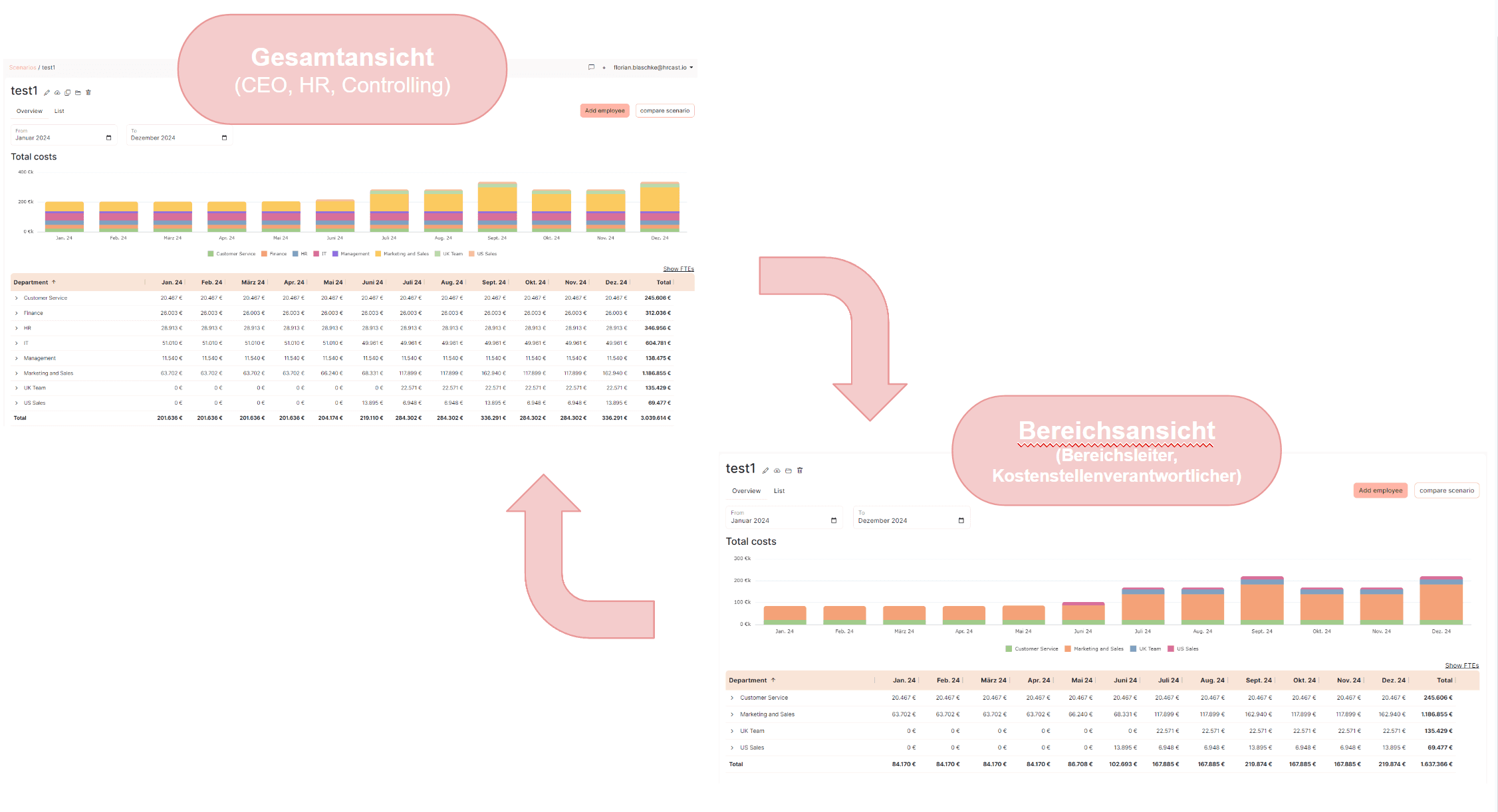
5. Compare Scenarios and Discuss Deviations
After the editing process is complete, you can conveniently compare the top-down and bottom-up scenarios using our Compare Mode and discuss any deviations. Scenarios can be compared flexibly down to detailed changes, such as title changes or salary adjustments for individual employees.
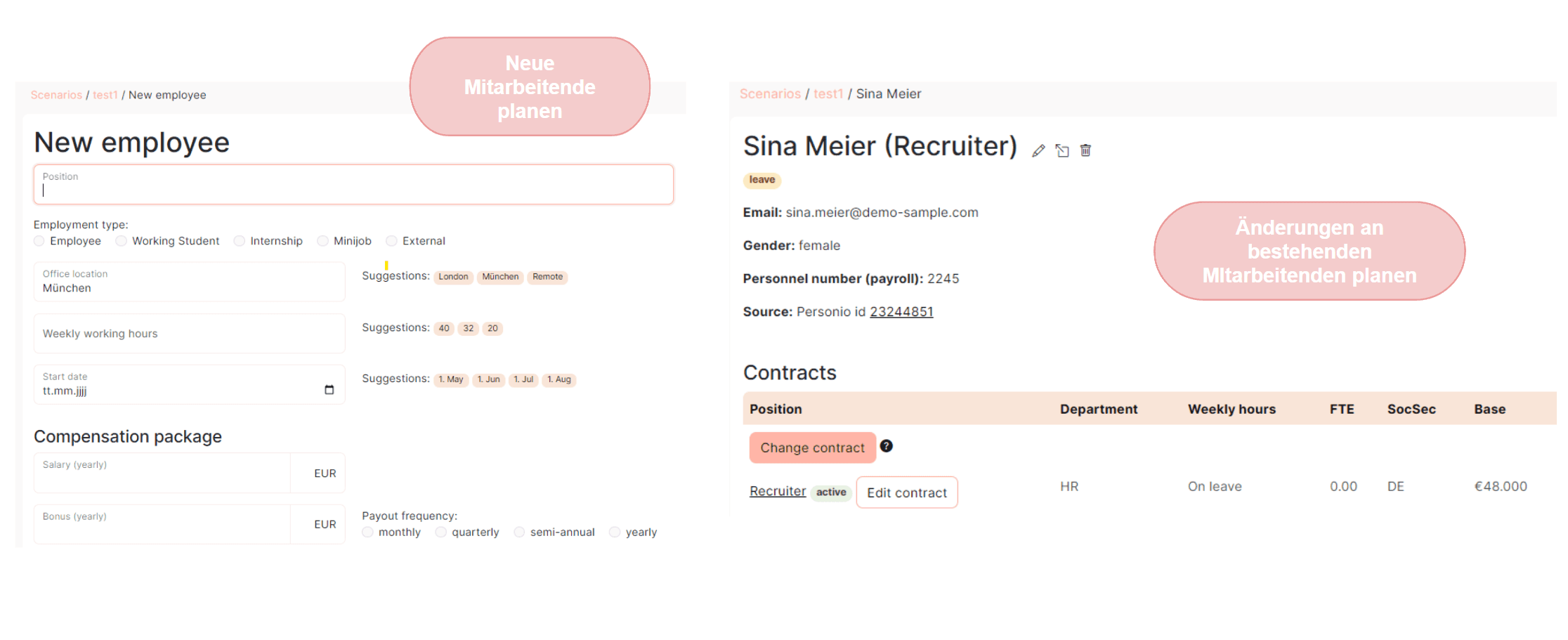
6. Make Adjustments and Finalize the Scenario
Following the comparison, you can make final adjustments to the planning scenarios. Once you are satisfied with the results, you can lock the editing and finalize the scenario. This fixed scenario then serves as the basis for further headcount planning and management and can be compared with future scenarios or actual figures in Compare Mode. Additionally, the export function allows you to export the plan as an Excel file and integrate it into your financial planning in the desired structure.
Additional Features
In addition to headcount planning, HRCast offers a range of other features to make your HR controlling easier:
BI/Analytics: Standardized reports and dashboards for a quick overview of your company's HR department, along with many other individual analysis options for your personnel data.
Workflows: Uncomplicated and transparent collaboration between management, HR, and finance departments for coordinated and documented personnel decisions such as salary increases, promotions, and new hires.
Conclusion
With HRCast, you can carry out headcount planning in your company simply, effectively, and in collaboration with various managers and employees. Our software solution provides all the functions you need to make your headcount planning a success.
For more information about HRCast, visit our website: https://www.hrcast.io/
Related reads for you
Discover more articles that align with your interests and keep exploring.


